
Built for Novels,
Not Just Notes.

Every major feature in AYCM Manuscript is a dedicated studio — built for the way serious authors actually work. Organize your manuscript and cast, then open focused writing and character environments when you are ready to go deep.

Two Studios. One Manuscript.

Chapters are the heart of your novel. AYCM Manuscript gives you a Manuscript Studio to browse and manage every chapter, and a Chapter Studio window to write each one — with your outline, editor, and story connections always within reach.

Chapter Studio

Write in a Dedicated Chapter Workspace

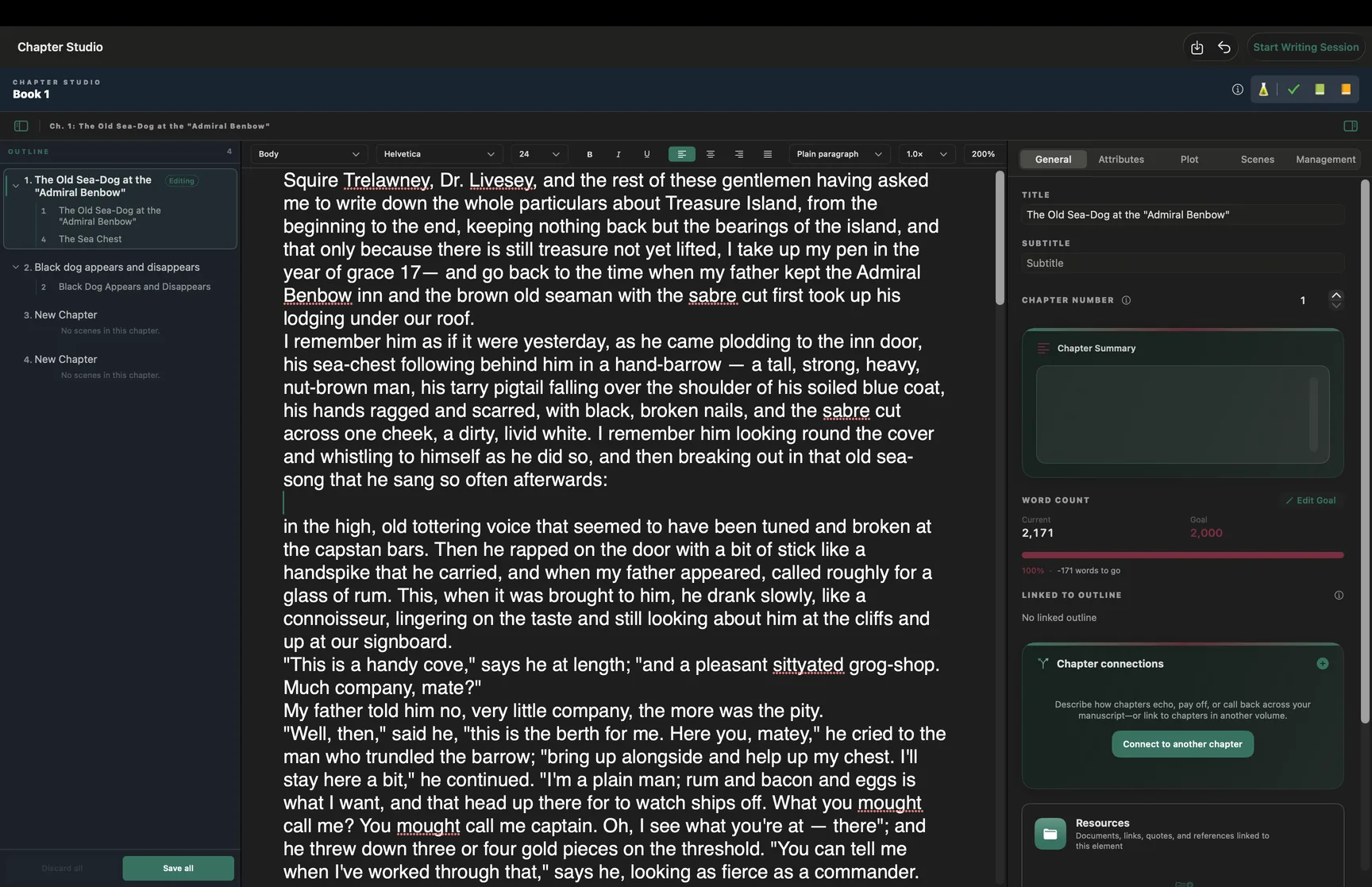
Chapter Studio opens as its own native window on Mac — a three-column workspace where you draft the manuscript, navigate your book outline, and manage everything connected to the chapter you're focused on.

  • Outline navigator — jump between chapters and scenes without losing your place
  • Rich manuscript editor — formatting, styles, line spacing, and zoom for long writing sessions
  • Five-tab inspector — General, Attributes, Plot, Scenes, and Management in one panel
  • Word count goals, chapter summary, and progress tracking as you draft
  • Writing sessions — timed focus with automatic or manual word-count capture
  • Chapter connections, linked resources, and manuscript snapshots

Native Mac auxiliary window · Also available on iPhone and iPad
Experience Chapter Studio →

Chapter Studio on Mac — outline navigator, rich text editor, and five-tab chapter inspector
Chapter Studio — outline, editor, and inspector
Manuscript Studio

Organize, Preview, and Export Your Book

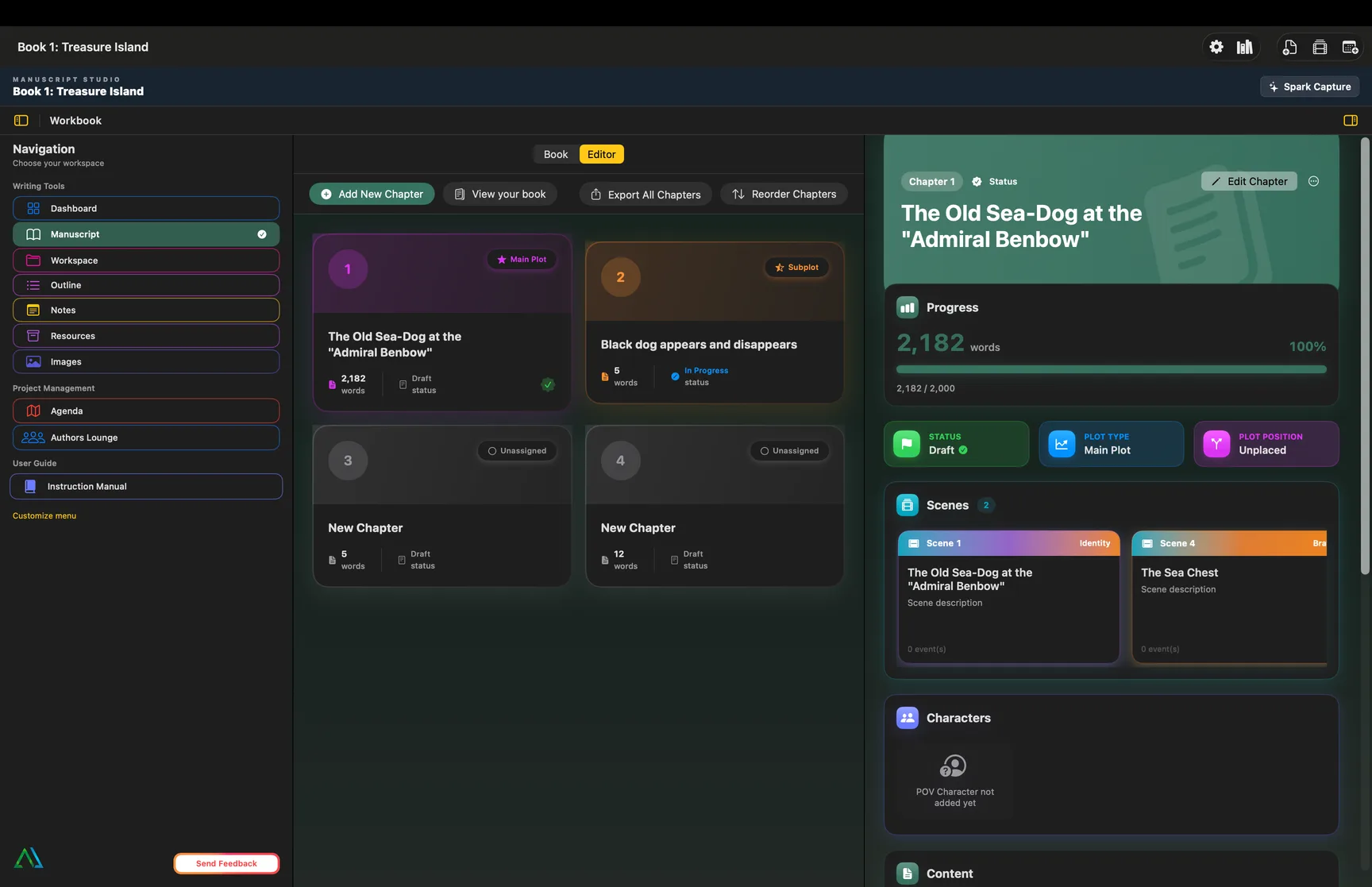
Manuscript Studio is your chapter home base — a chapter grid for the whole project, deep detail panels for each chapter, and book-level tools to see the shape of your draft.

  • Chapter grid with plot badges, word counts, and status at a glance
  • Chapter detail — progress, scenes carousel, POV and character decks, content preview
  • Book tab analytics — plot, progress, position, and theme distribution charts
  • View your book — Kindle-style whole-manuscript preview as you draft
  • Export all chapters and reorder your manuscript in one place
  • Series support — manage chapters across multi-book projects

Manuscript on Mac · iPhone and iPad supported

Experience Manuscript Studio →

Manuscript Studio on Mac — chapter grid, detail panel with scenes and progress, and manuscript tools
Manuscript Studio — chapter grid and detail inspector

Two Studios. One Cast.

Your characters are more than names on a list. AYCM Manuscript gives you a Characters workspace to browse and preview your whole cast, and a Character Studio window to build arcs, relationships, and deep profiles — linked to every chapter and scene.

Character Studio

Build Deep Character Profiles

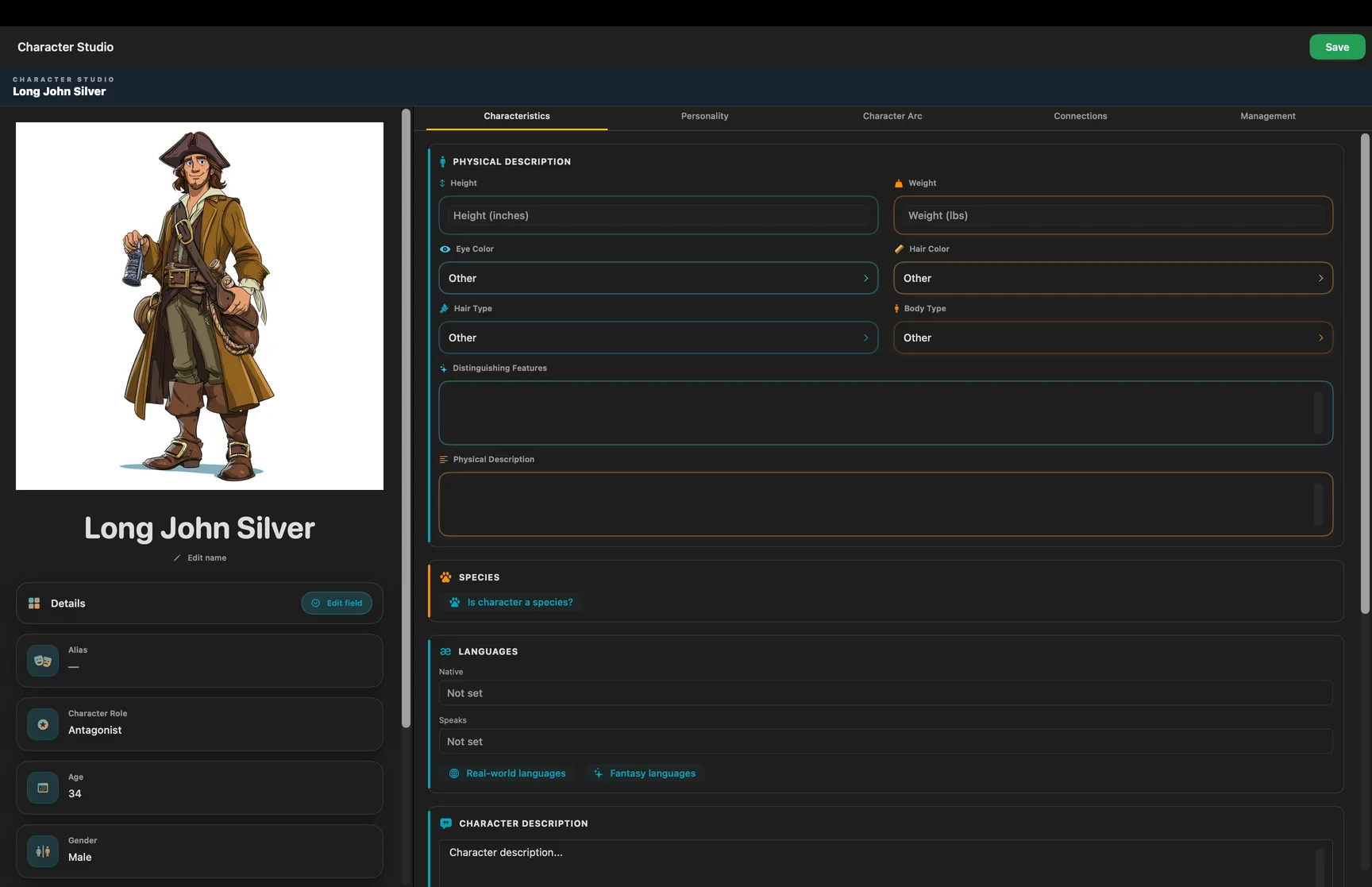
Character Studio opens as its own native window on Mac — a two-column workspace with an identity panel for photo and core details, and a five-tab inspector for everything that makes your character live on the page.

  • Identity panel — photo, name, role, age, gender, and core details at a glance
  • Characteristics — physical description, species, languages, and character description
  • Personality — built-in and custom archetypes with a browsable library
  • Character Arc — Want, Need, Lie, and Truth; Ghost and Wound; transformation moments; flaw and strength profiles
  • Connections — relationships, family, and groups tied to the rest of your cast
  • Management — priority, development status, tasks, notes, and story links

Native Mac auxiliary window · Also available on iPhone and iPad
Experience Character Studio →

Character Studio on Mac — identity panel with photo and five-tab character inspector
Character Studio — identity panel and five-tab inspector
Characters

Browse, Preview, and Manage Your Cast

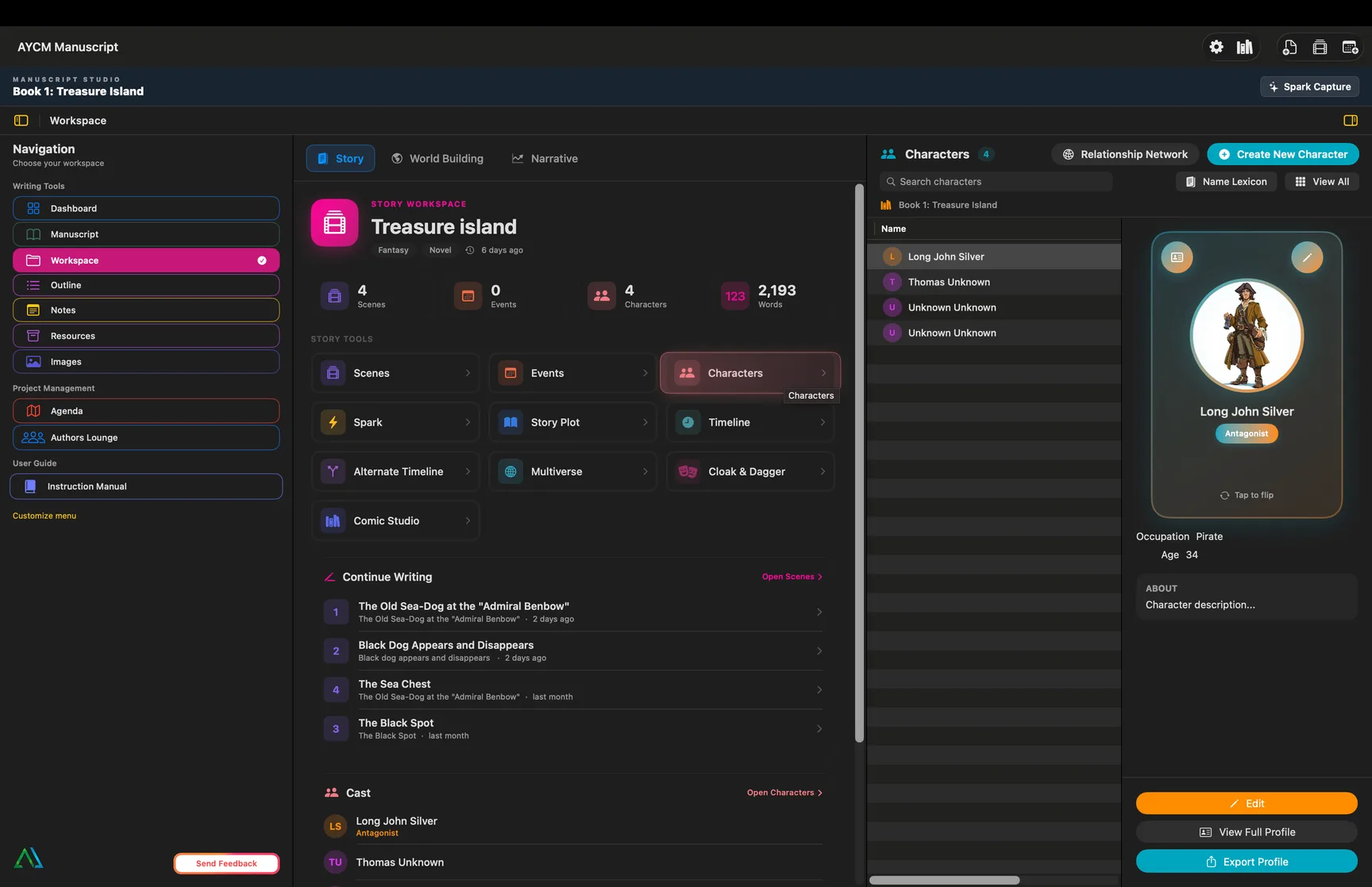
Characters lives inside the Workspace — a master–detail roster where you search and sort your whole cast, preview each character at a glance, and jump into Character Studio when you are ready to go deeper.

  • Sortable roster table — name, role chips, and deceased status at a glance
  • Live preview — trading card, occupation, age, alias, and about text for the selected character
  • Relationship Network — visualize connections across your cast in a dedicated graph window
  • Name Lexicon — project naming tool for consistent character names
  • View All grid — gallery of your entire cast in one place
  • Export Profile — share a character profile as PDF with configurable sections

Workspace section on Mac · iPhone and iPad supported

Characters on Mac — sortable roster, trading card preview, and cast management tools
Characters — roster table and live profile preview

Everything Else in Your Ecosystem

Chapters and characters connect to the rest of AYCM Manuscript — plot, outline, and worldbuilding — so your draft never lives in isolation.

Workspace

Every Element of Your Story World

Events, timelines, locations, magic systems, languages, and plot threads — all stored in one workspace where every element can reference every other element.

  • Scenes, events, and story plot tools in one connected canvas
  • Story canvas and plot structure tools
  • Worldbuilding for fantasy, thriller, and everything between
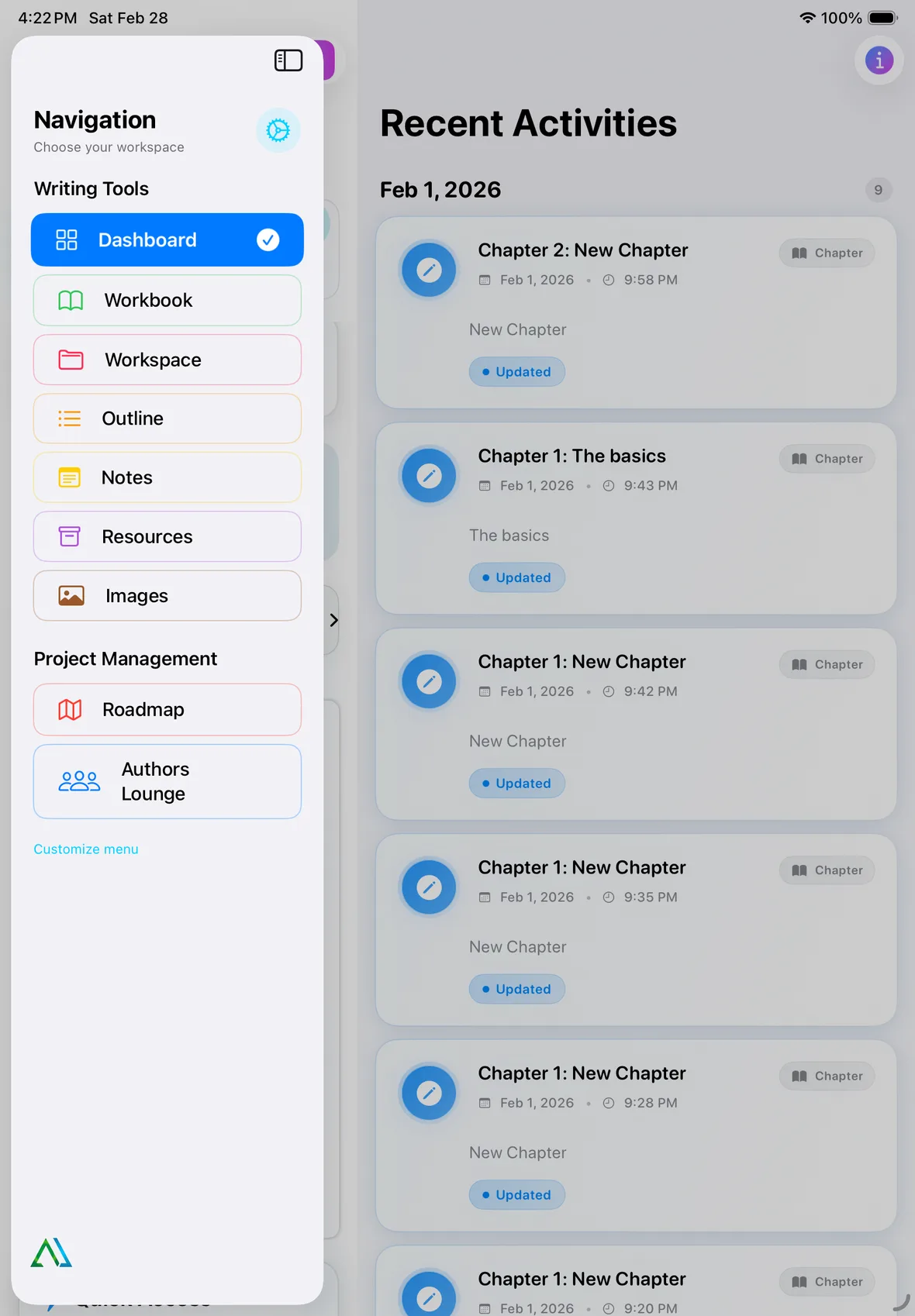
AYCM Manuscript workspace on iPad
Outline & Roadmap

Structure That Stays in Sync

Plan with traditional outlines and mind maps, then track your progress on the Roadmap. Your structure evolves with your draft — nothing gets lost between planning and writing.

  • Hierarchical outlines tied to your manuscript
  • Mind maps for brainstorming story connections
  • Progress tracking toward chapter and word-count goals
Outline

Chapters, scenes, and beats — all linked.

Roadmap

See how far you have come and what is next.

Connected

Changes in one place update everywhere.

Start Writing in AYCM Manuscript

Download the app and explore every feature for yourself.

Download on the App Store

Available on iPhone and iPad · macOS coming soon